User & Business Value
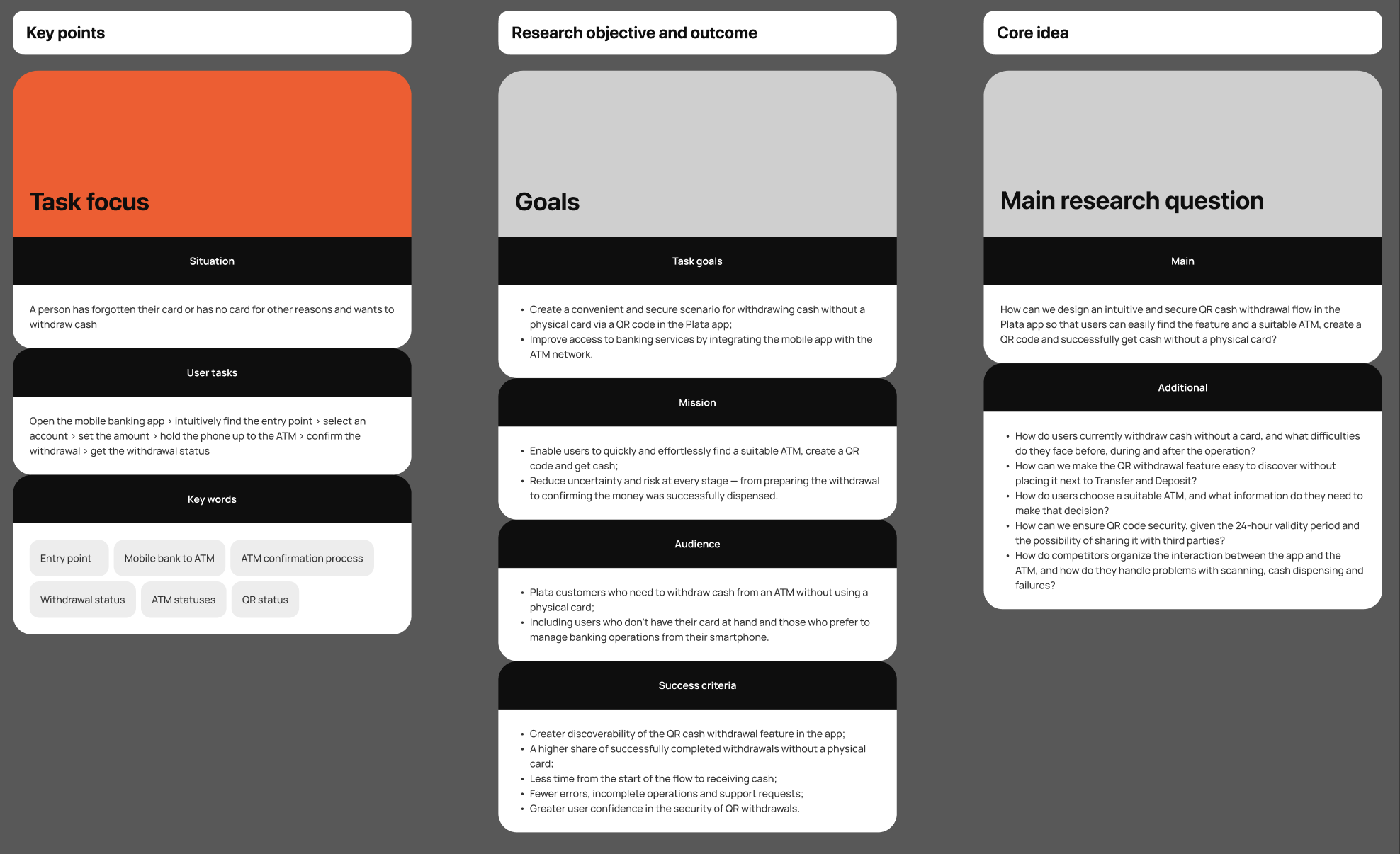
For users: find an ATM that meets their needs without external apps, and access their account without a physical card or concerns about security. The ATM now supports the new flow and a video guide to using a QR code.
Business goal: help customers complete their tasks without always having a physical card at hand, make cash withdrawals more convenient, simplify the process, and minimize support requests.
Hypotheses | JTBD and user survey
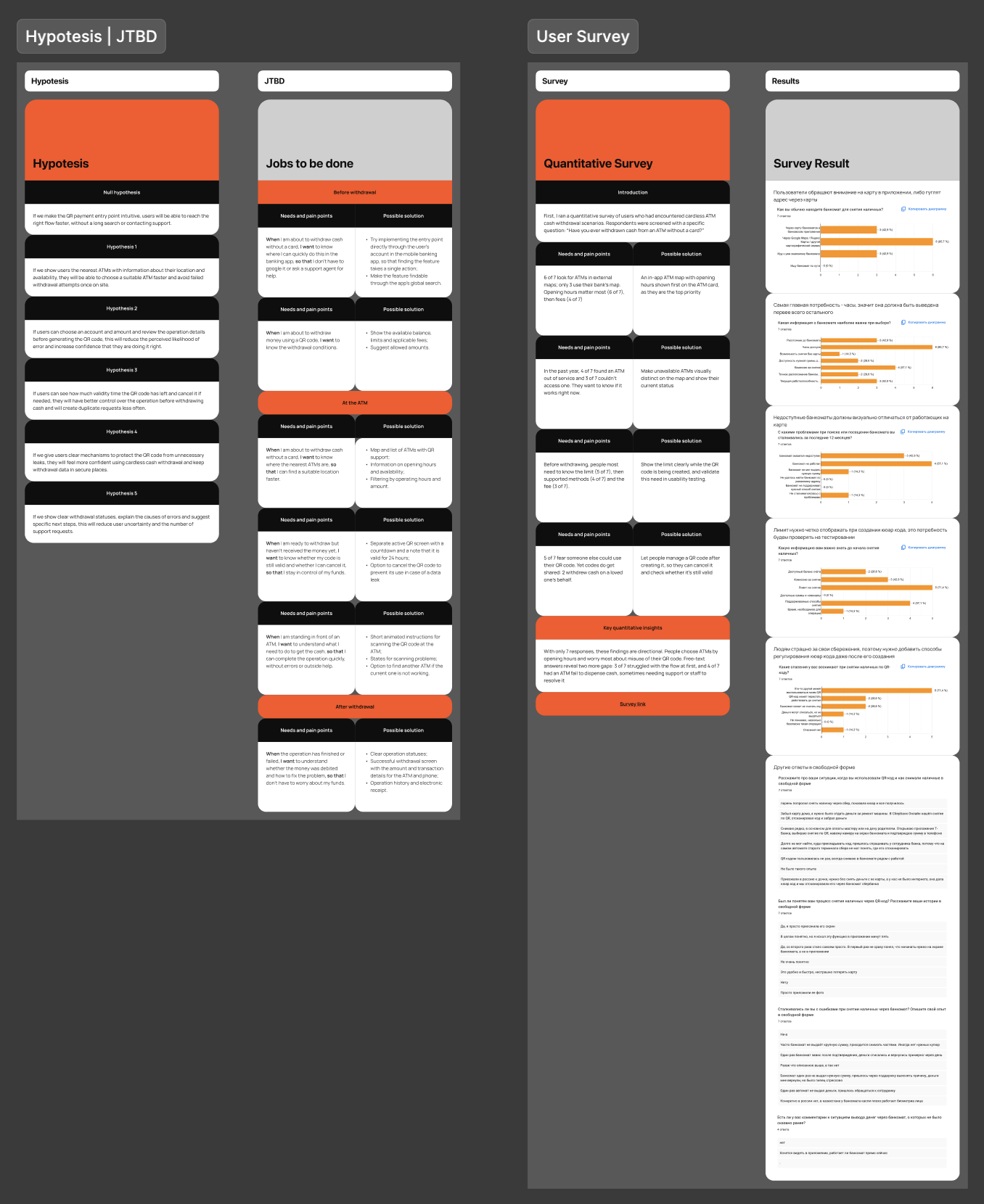
I formulated hypotheses for the entire user journey:
-
a clear entry point would help users find the feature faster;
-
nearby ATMs with addresses and availability would reduce unsuccessful visits;
-
transaction details and QR code expiry information would build confidence and reduce duplicates;
-
clear statuses and errors would reduce support requests.
Using JTBD, I divided the tasks into three stages: before withdrawal, at the ATM, and after withdrawal.
To explore these hypotheses, I surveyed 7 people who had already withdrawn cash without a card:
-
6 of 7 looked for ATMs in external map apps;
-
opening hours were the main criterion when choosing an ATM, followed by fees;
-
4 of 7 had encountered an out-of-service ATM in the past year;
-
5 of 7 worried that someone else could use their QR code.
Benchmarking
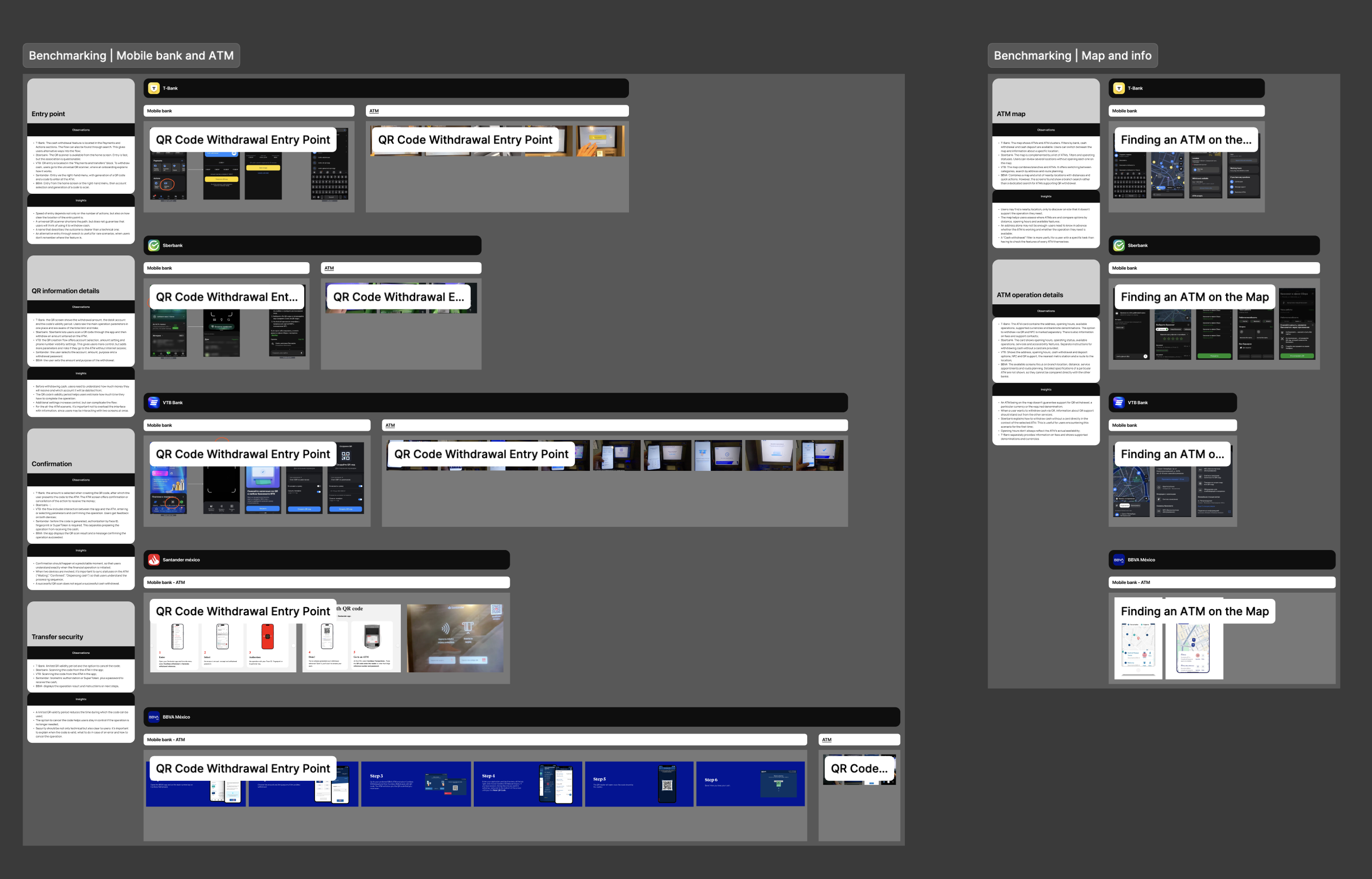
I reviewed existing solutions from Russian and Mexican banks, focusing on:
-
entry points for generating or scanning QR codes and finding ATMs;
-
ATM search and information on the map;
-
how cash withdrawals work without a physical card.
Key findings
Banks approach cardless withdrawals differently. Some ask users to scan a QR code on the ATM screen; others ask them to hold their own code up to a scanner.
Plata ATMs already have a QR scanner, so I prioritized:
-
security and step-by-step statuses across the ATM and phone during the transaction;
-
detailed ATM information before the user leaves home;
-
secure control of a QR code after it is generated;
-
instructions for using a QR code at the ATM.
User flow
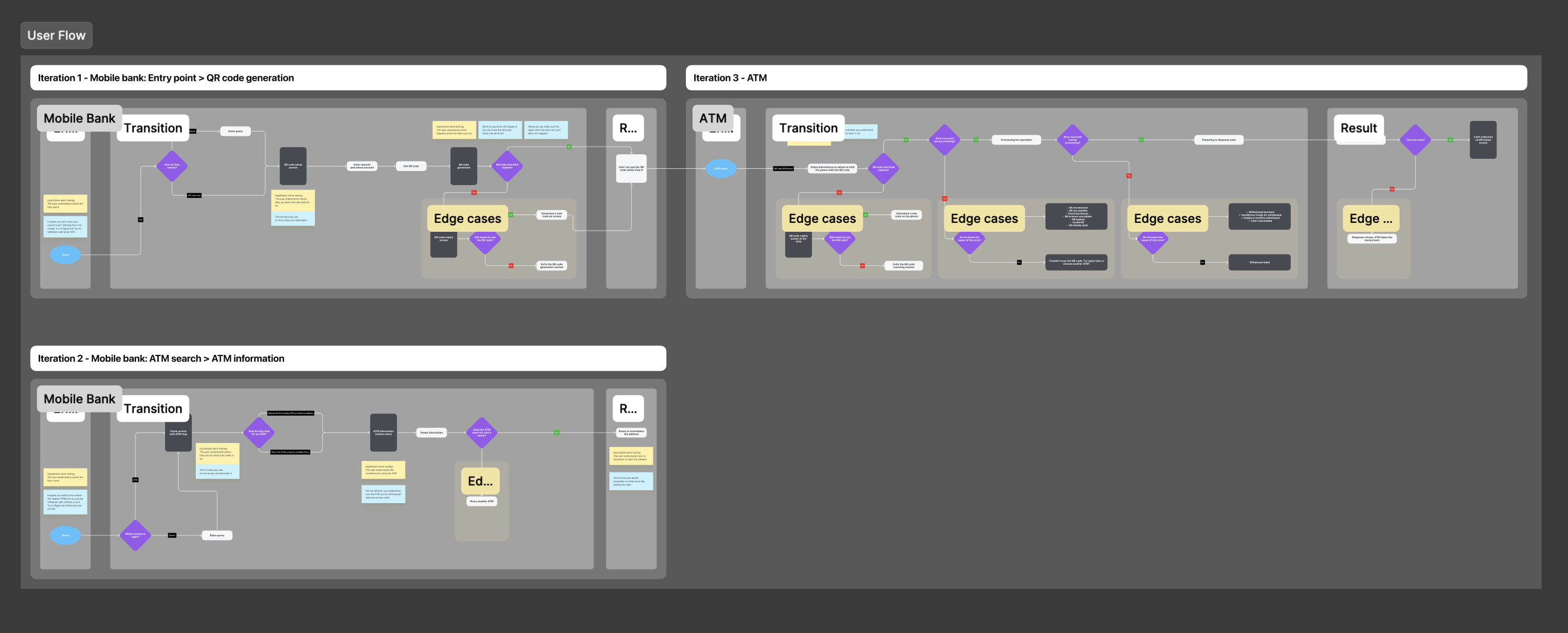
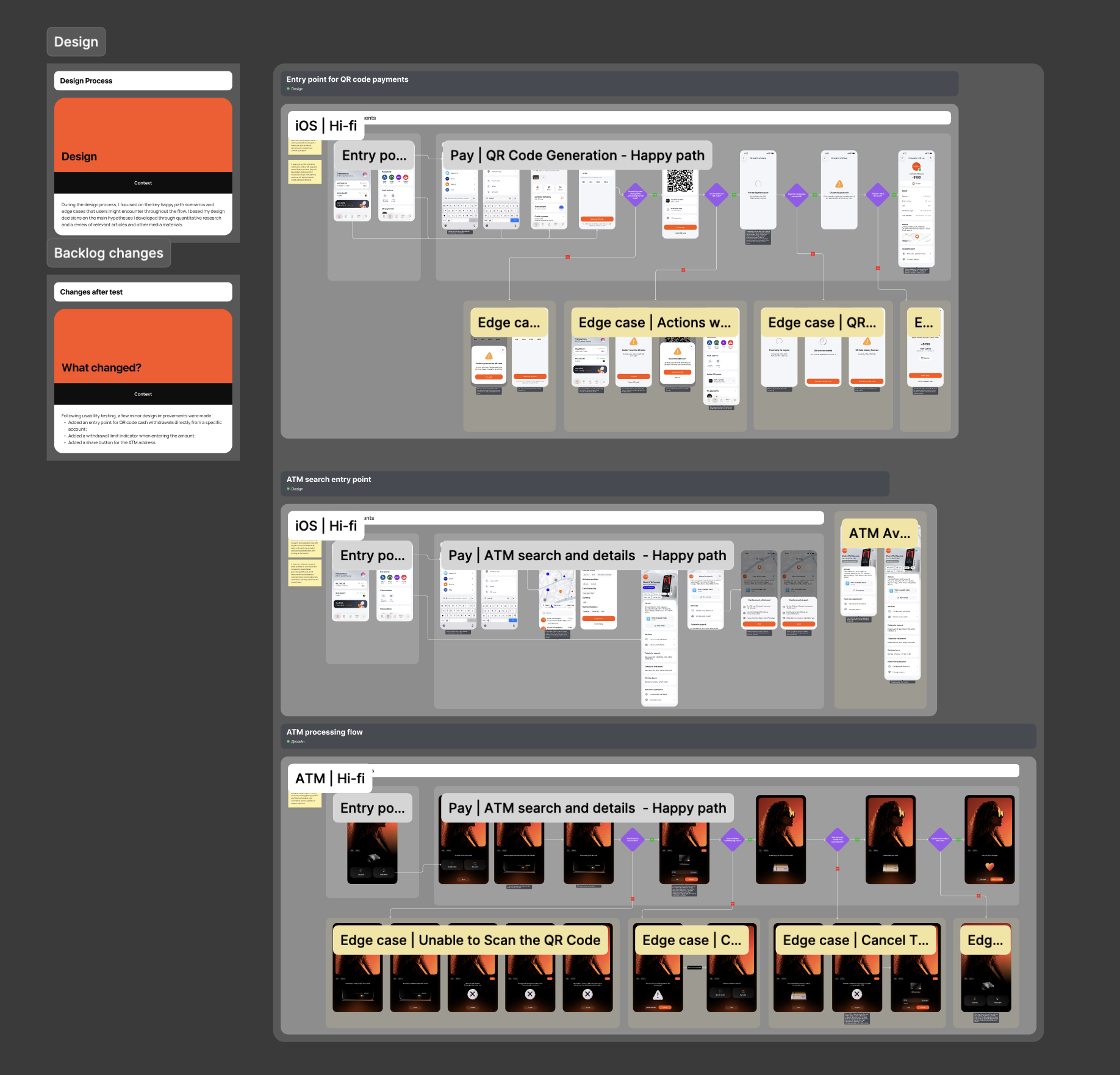
I built the flow around three stages of the user journey:
-
mobile banking: finding the feature and generating a QR code;
-
finding an ATM and checking its information;
-
withdrawing cash at the ATM.
For each stage, I mapped the transitions and edge cases.
Entry points
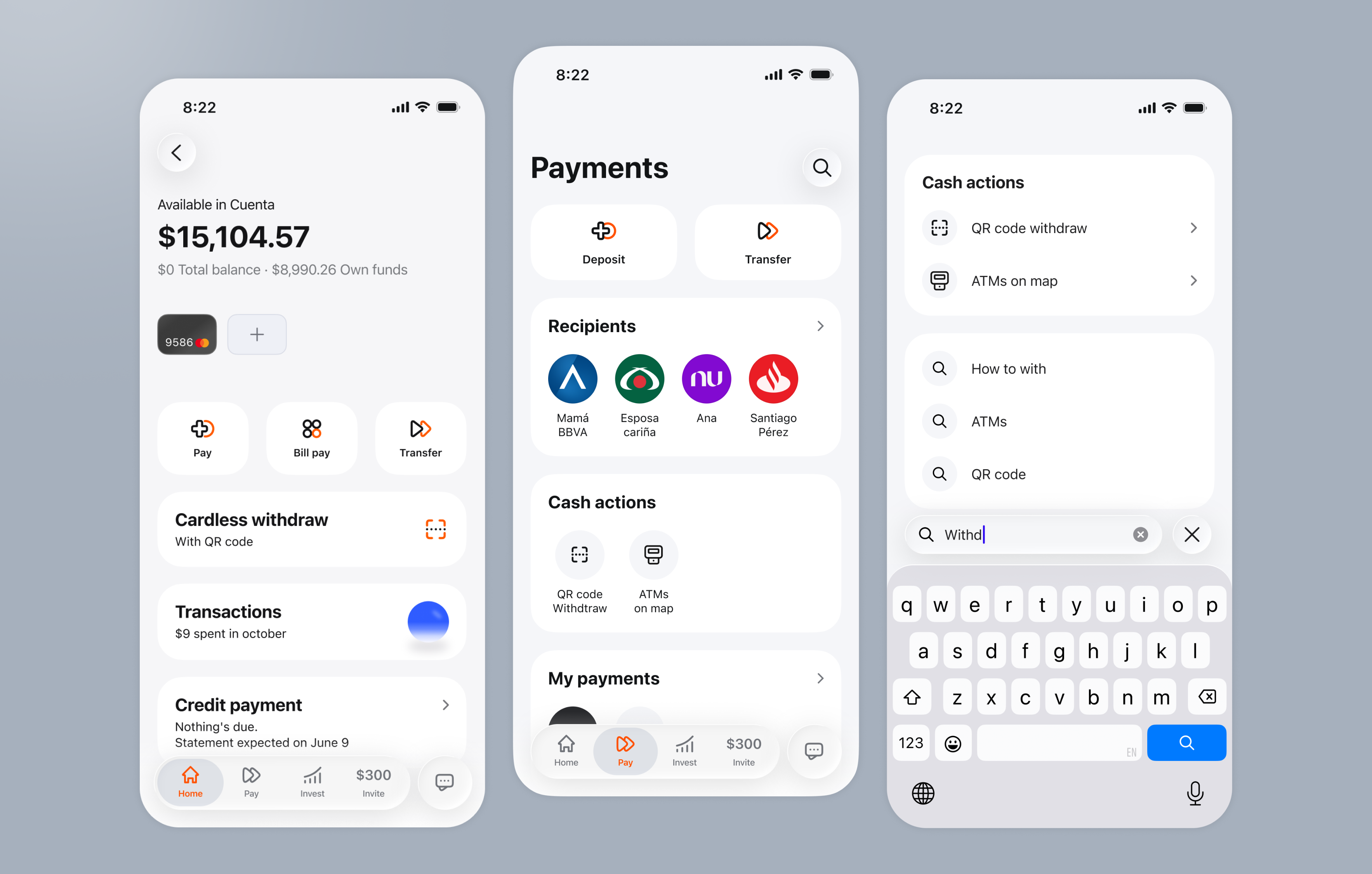
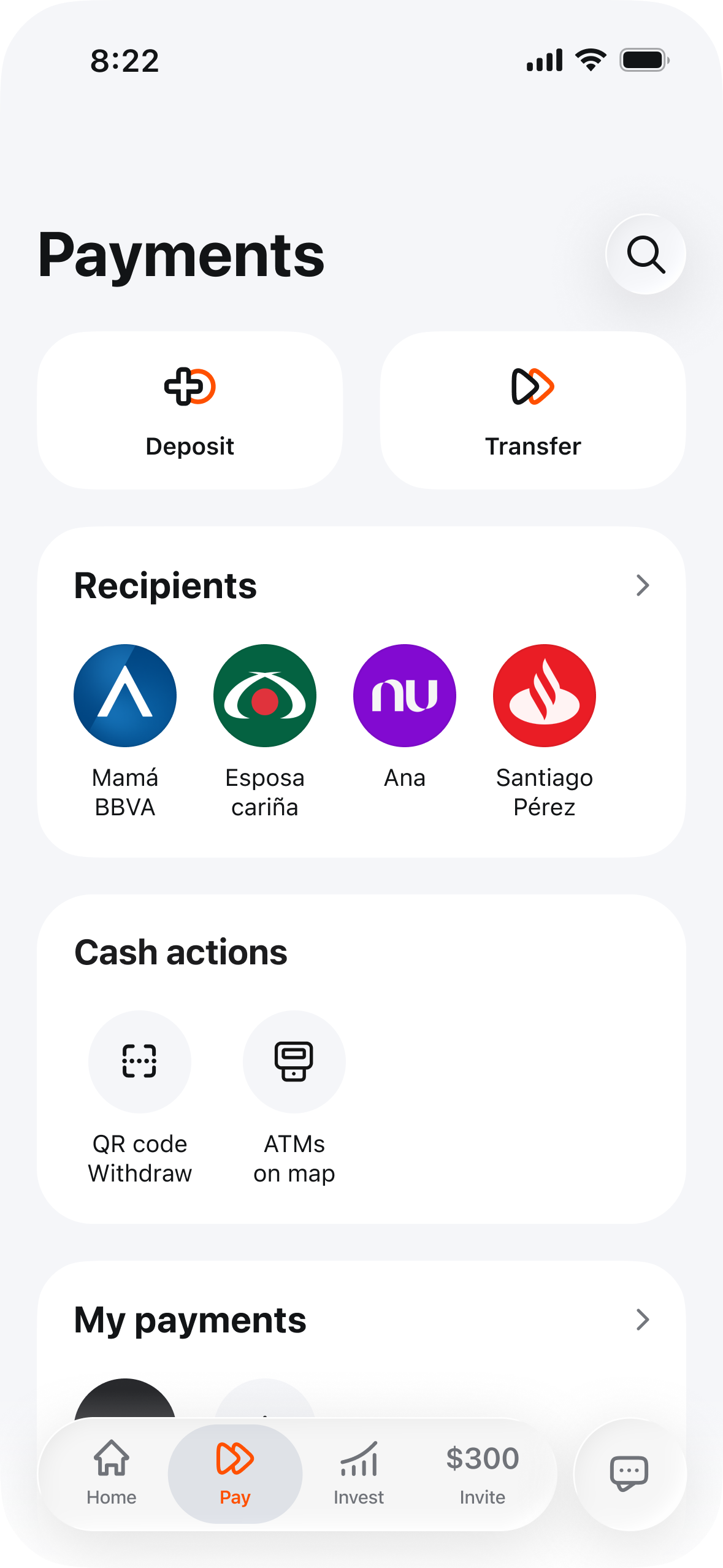
The survey and benchmarking showed that users look for withdrawals in different places. I added several entry points: a Cardless withdraw card on the home screen, a Cash actions block on the Payments screen, and search.
Cash actions brings together two related tasks: withdrawing cash with a QR code and finding an ATM on the map.
QR code generation
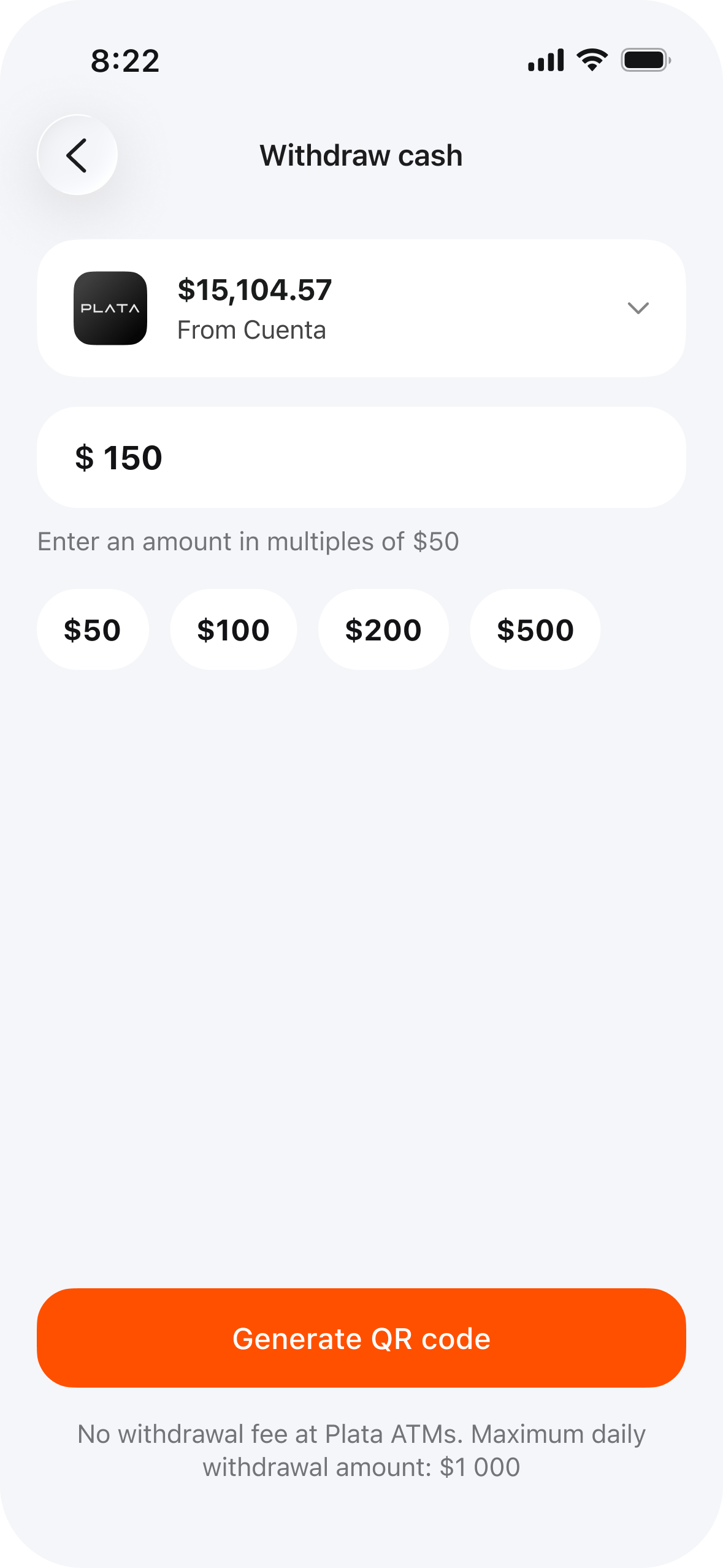
Everything is on one screen: account selection with the available balance, amount entry, and suggested amounts. A hint immediately explains that the amount must be a multiple of $50.
Plata ATM terms and the daily limit appear below the button. Survey participants said they needed this information before withdrawing cash.
Generated QR code
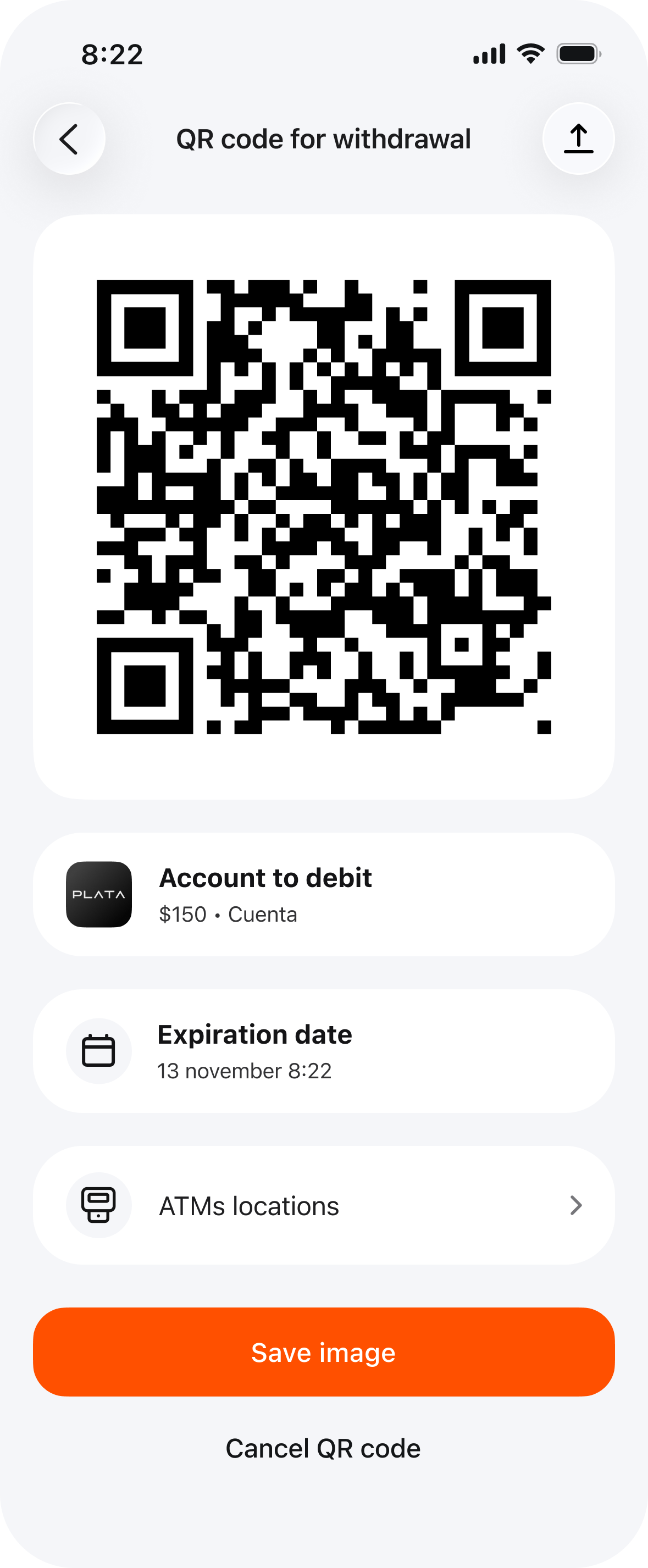
Alongside the code, the screen shows the account, amount, expiry time, and a link to nearby ATMs. Users can save the code as an image for later.
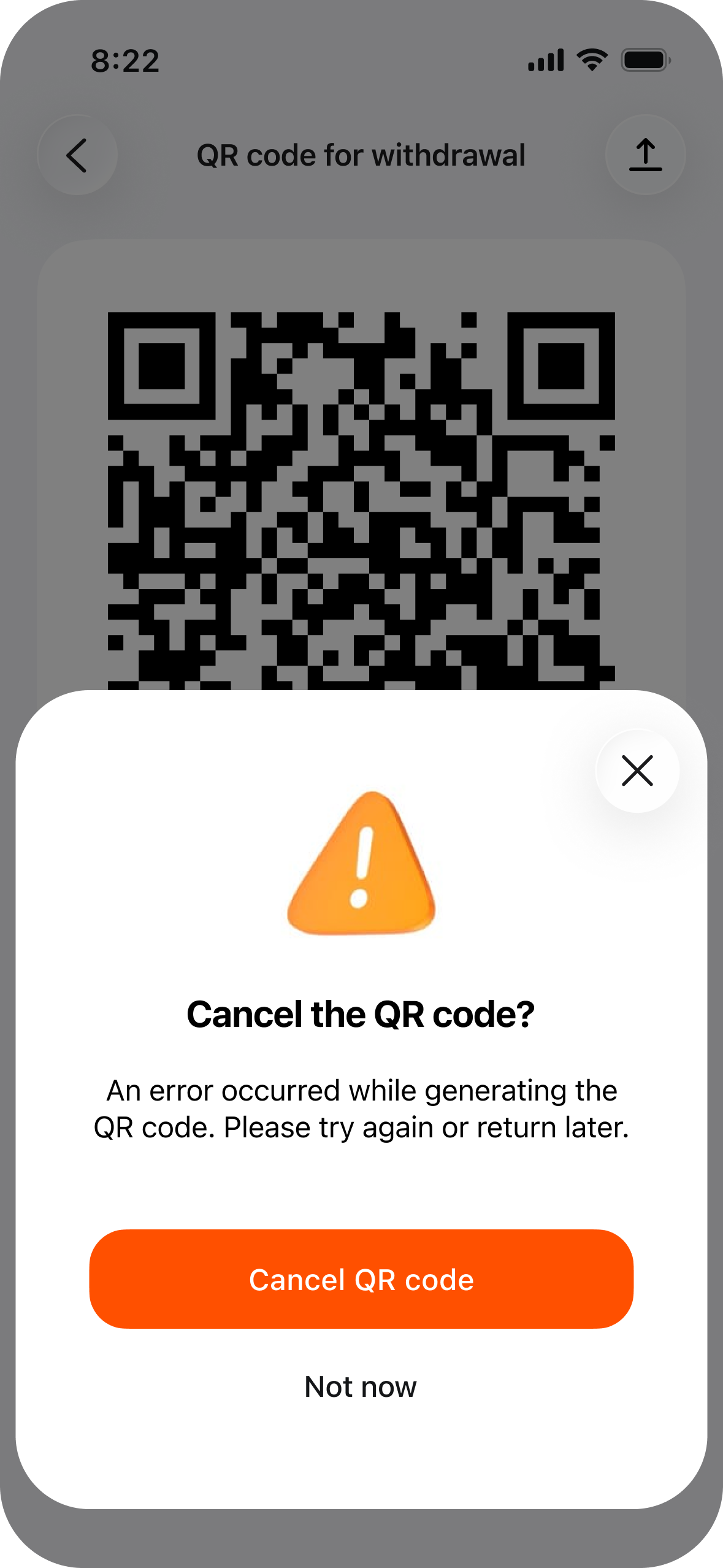
Users can cancel the code at any time to stay in control of its security. Cancellation and generation errors have dedicated bottom sheets with clear explanations and actions.
After generating a QR code
Generated codes remain easy to find: an Active QR codes block appears on the Payments screen with the amount, account, and expiry time.
Users can see which codes are still active and return to them before visiting an ATM. This reduces duplicate codes and uncertainty about control of their money after generation.
ATMs on the map and filters
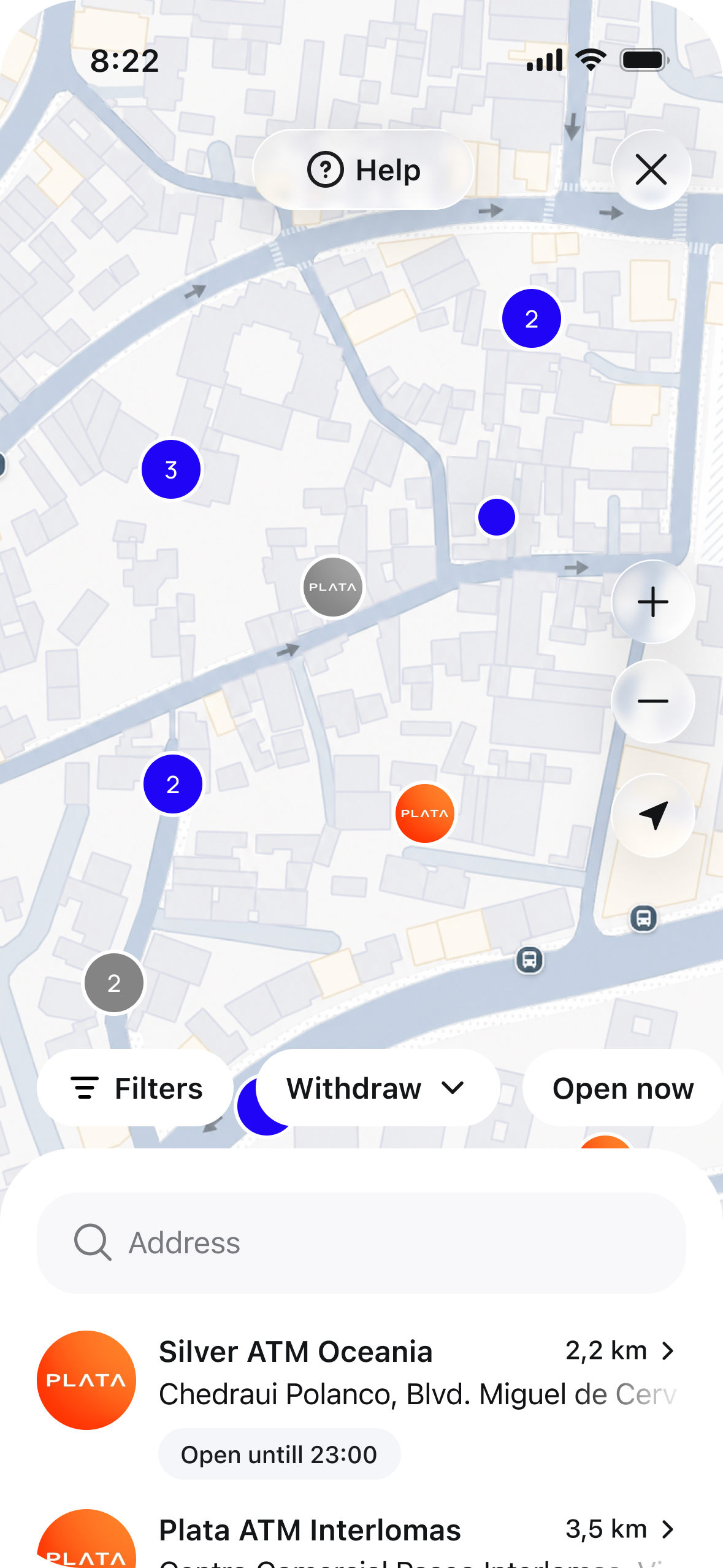
ATMs appear on a map and in a list with distances and opening hours. Out-of-service ATMs are visually distinct, helping users choose an ATM within the banking app.
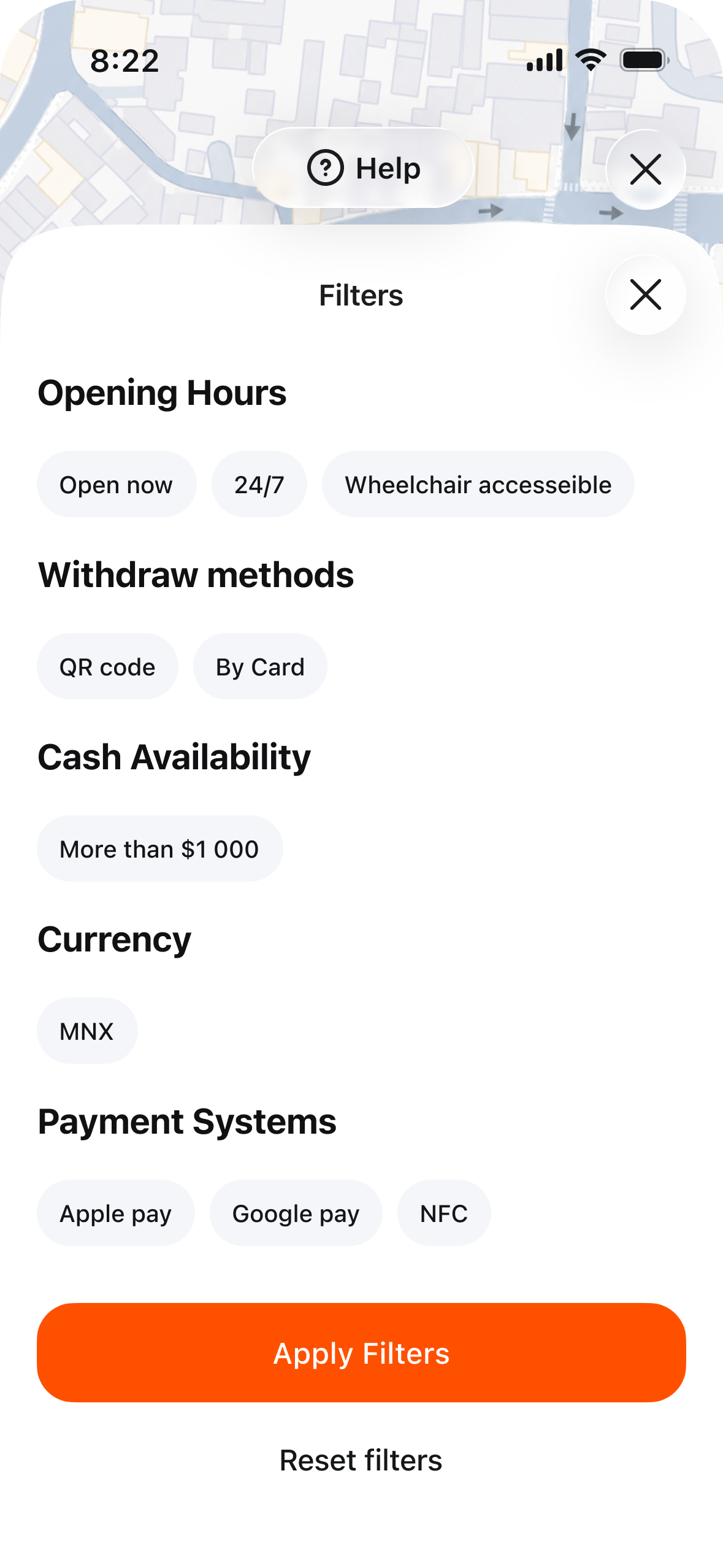
Filters reflect the survey and benchmarking criteria: opening hours, withdrawal method (QR or card), cash availability, currency, and payment networks.
ATM information
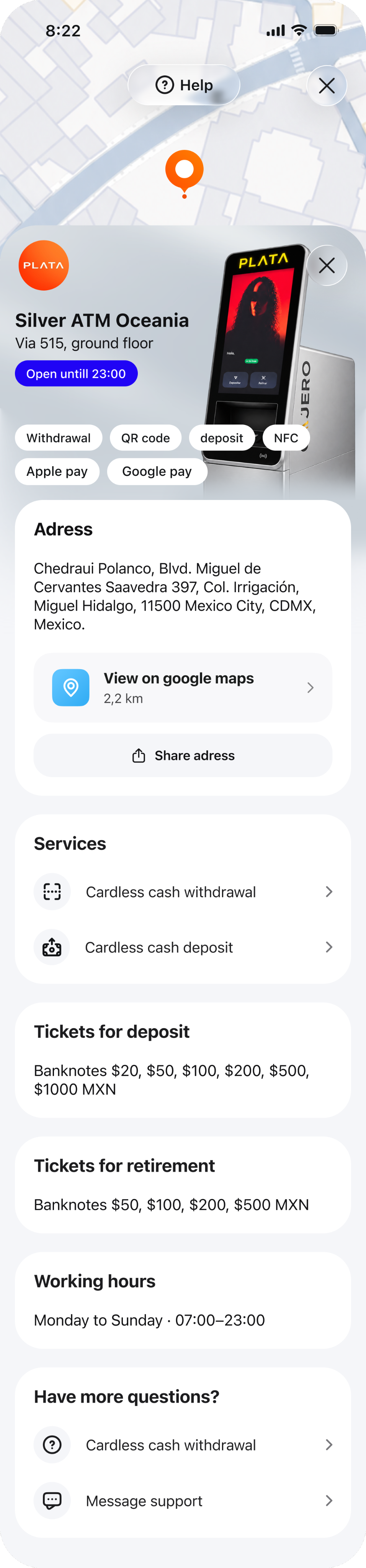
The ATM card contains everything users need to know before leaving home.
Users can open the address in Google Maps or share it. The card also links to instructions and support.
Service instructions
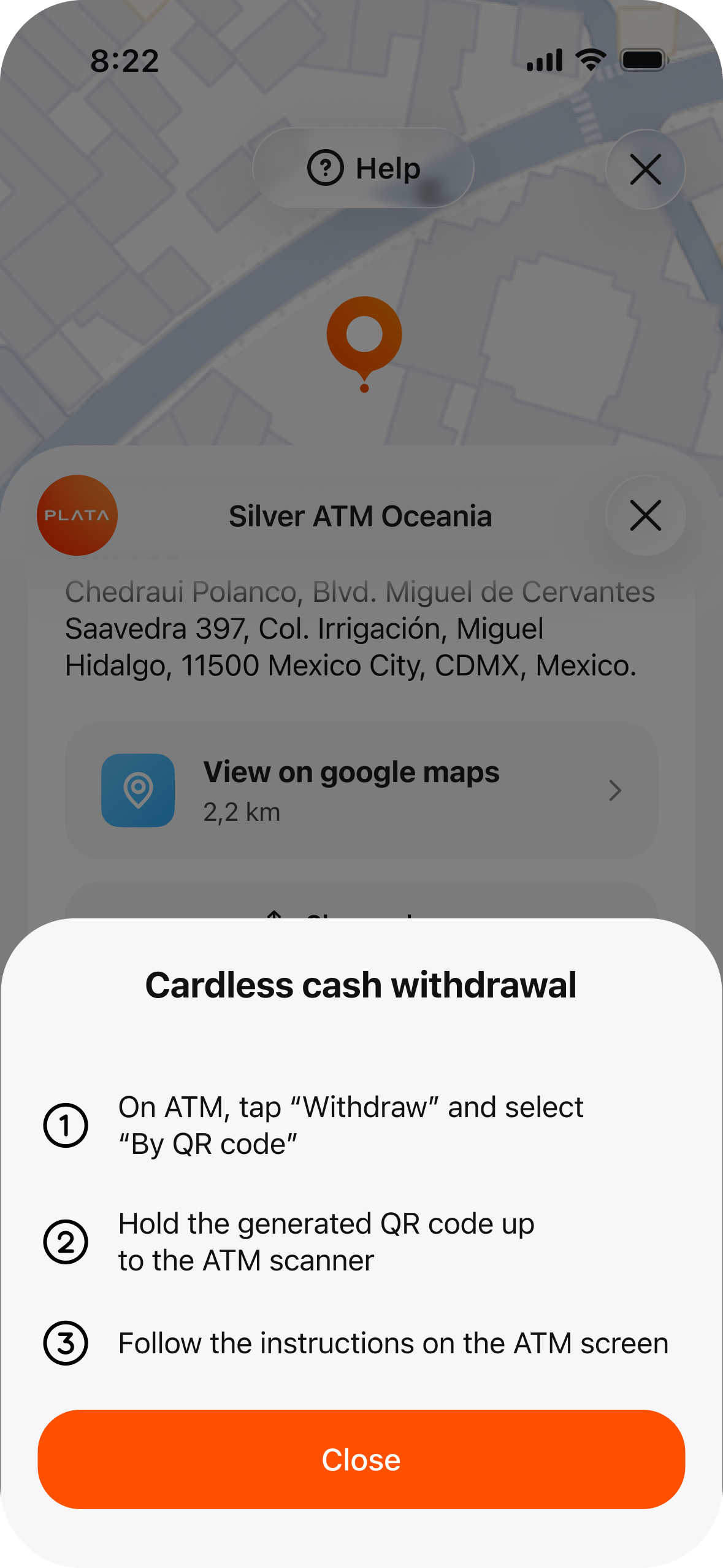
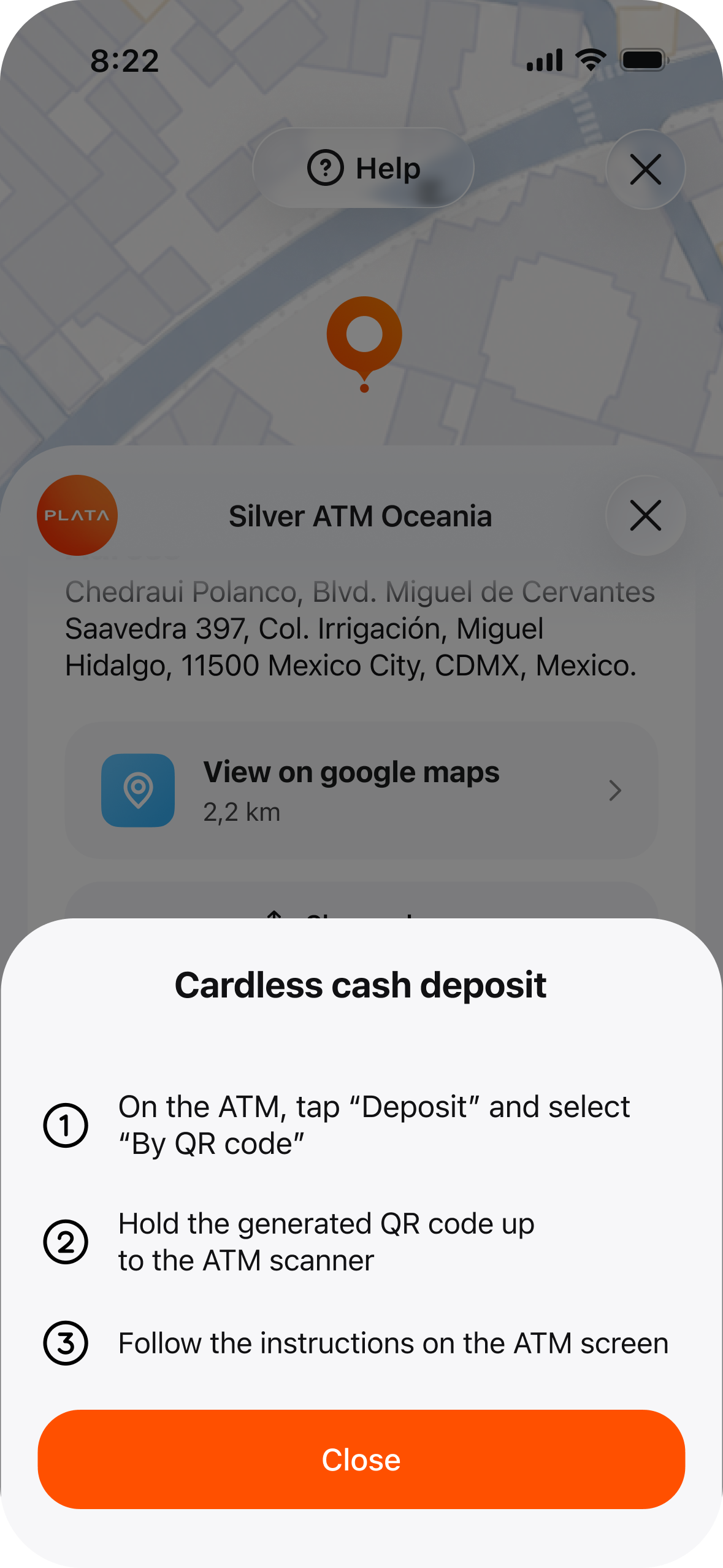
Short, step-by-step instructions explain cash withdrawals and deposits: what to tap on the ATM, where to hold the code, and what happens next.
Instructions open directly from the ATM card, so users can understand the process in advance.
Cardless withdrawal at the ATM
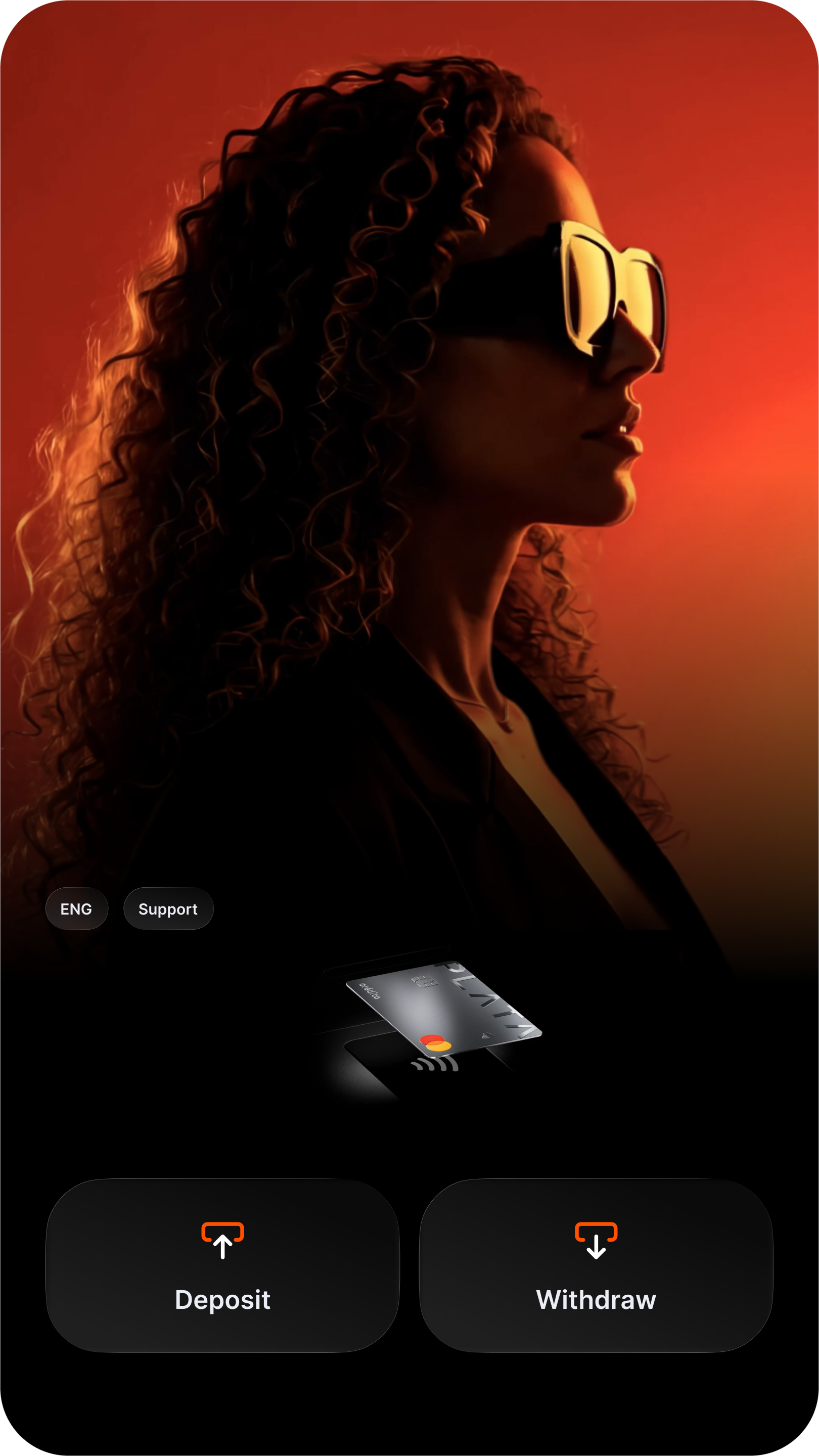
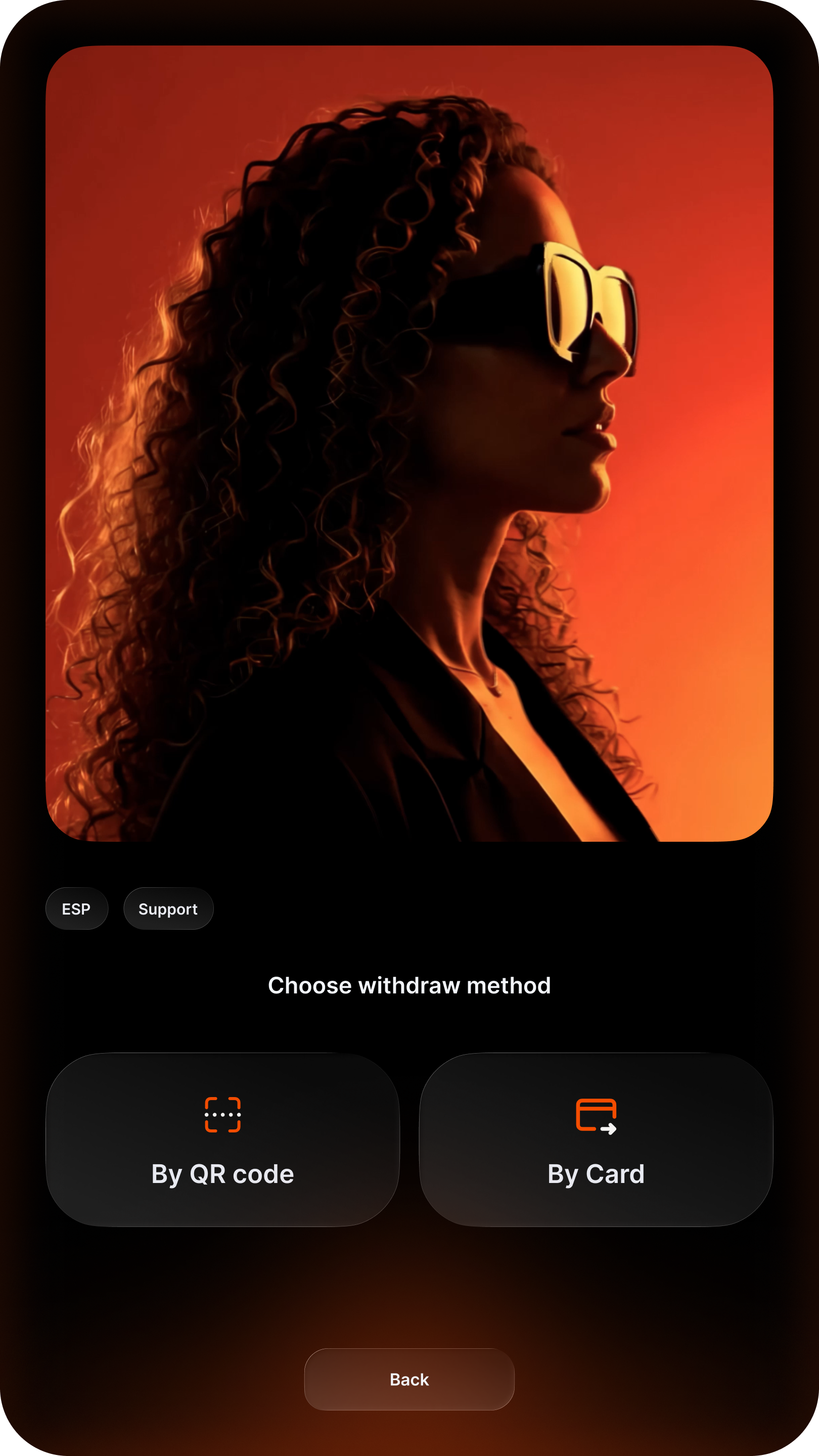
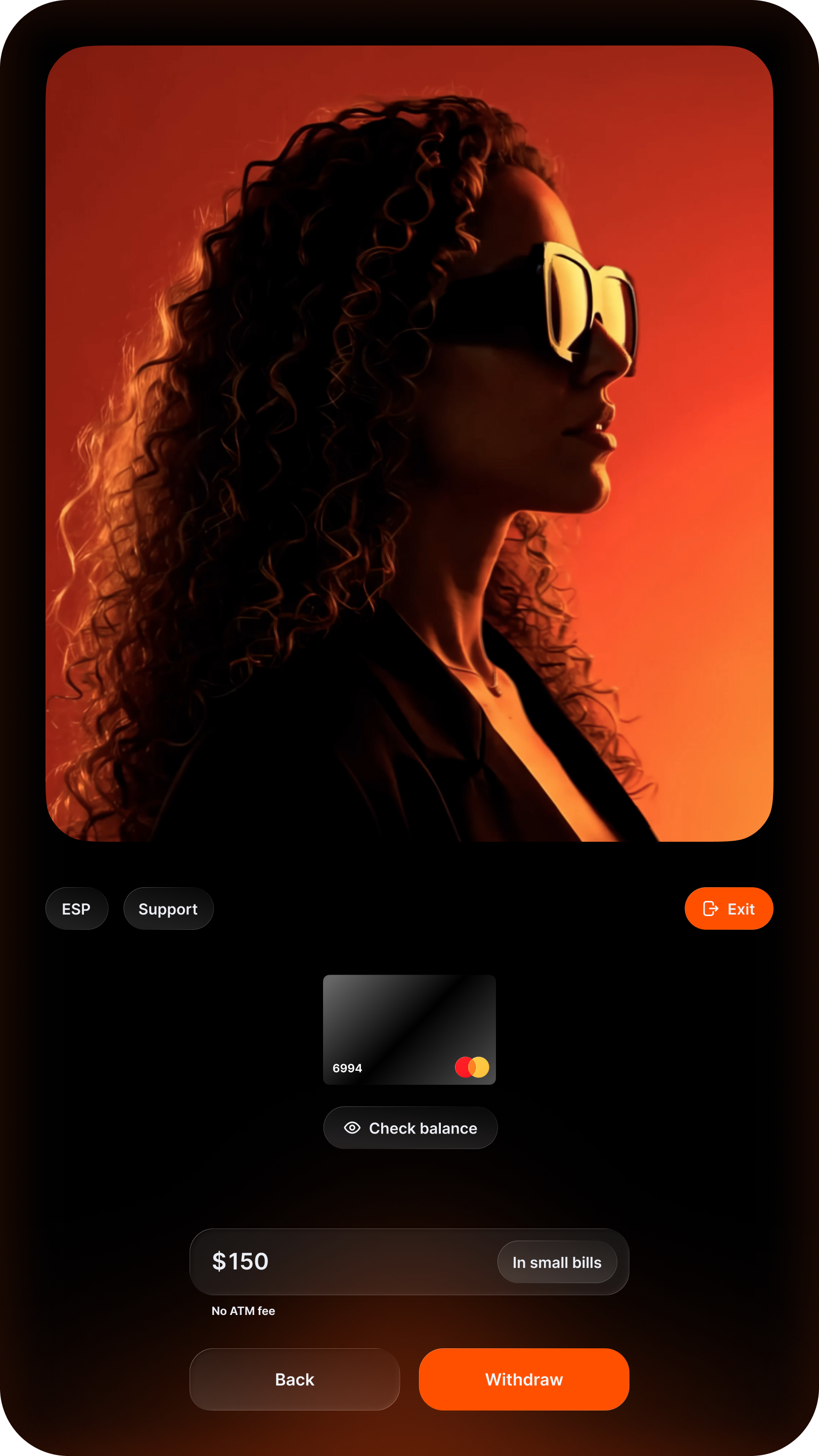
I designed the ATM interface to follow the same logic as the app: start with Deposit or Withdraw, then choose By QR code or By Card.
Video guidance during scanning
During scanning, an animation shows where to hold the phone. This is the step that most often raises questions.
Statuses progress from Hold the code up to Processing your code. Users understand what is happening and know to stay at the ATM.
Amount entry
After scanning, the screen shows the card and amount from the QR code, with a balance check and the option to request smaller notes. It also clearly states that there is no fee.
Users can go back or exit at any time, staying in control of the transaction until confirmation.
Preparing and collecting cash
Two separate statuses distinguish cash preparation from dispensing: Preparing your cash and Please take your cash.
A banknote animation shows where to collect the money, completing the journey and easing the worry that the account was debited but no cash was dispensed.
Usability testing
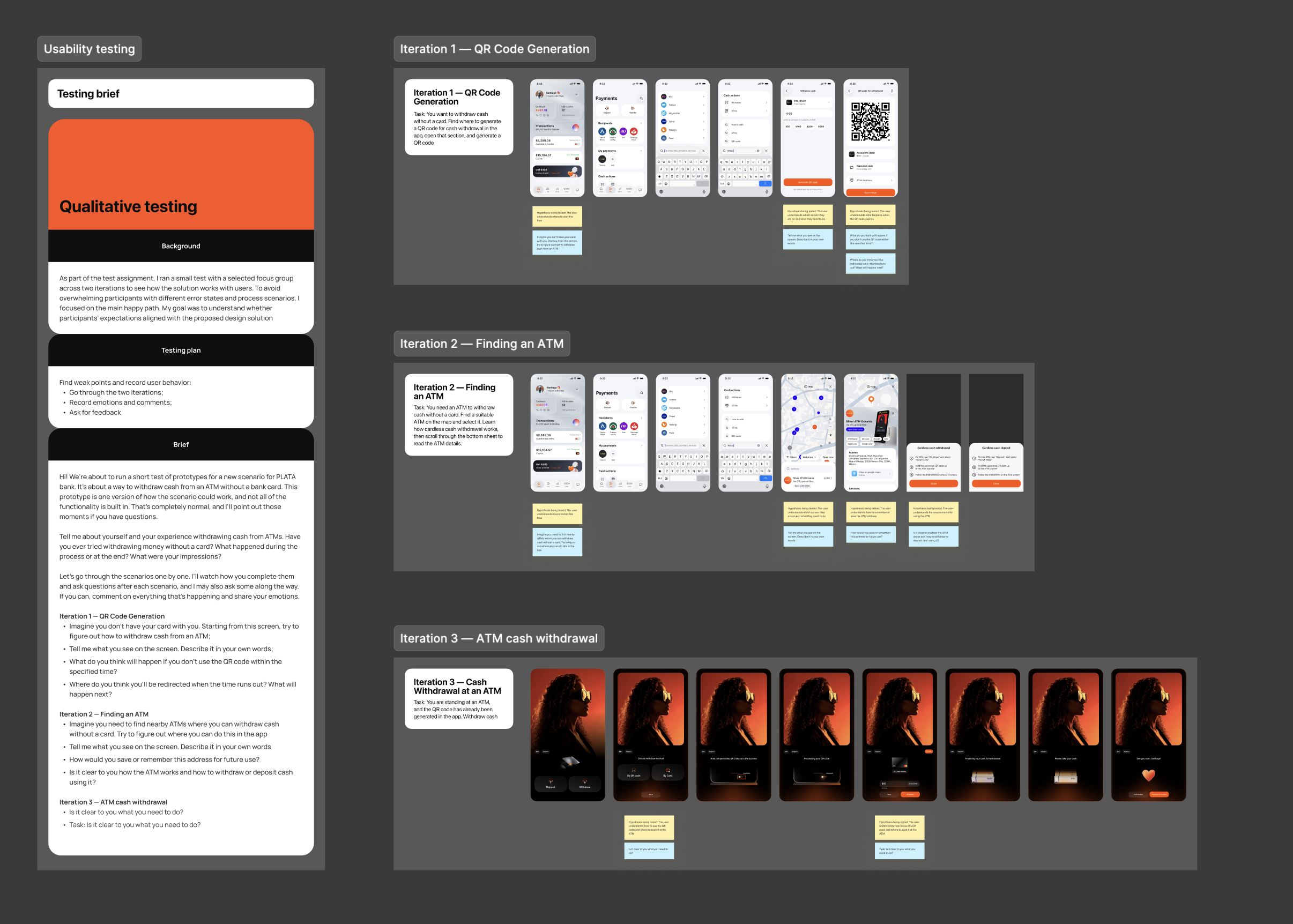
I conducted qualitative usability testing with 5 participants across three scenarios:
-
generating a QR code;
-
finding an ATM;
-
withdrawing cash at an ATM.
I checked how easily participants found the entry point, whether the information and statuses were clear, and where doubts arose.
Key findings
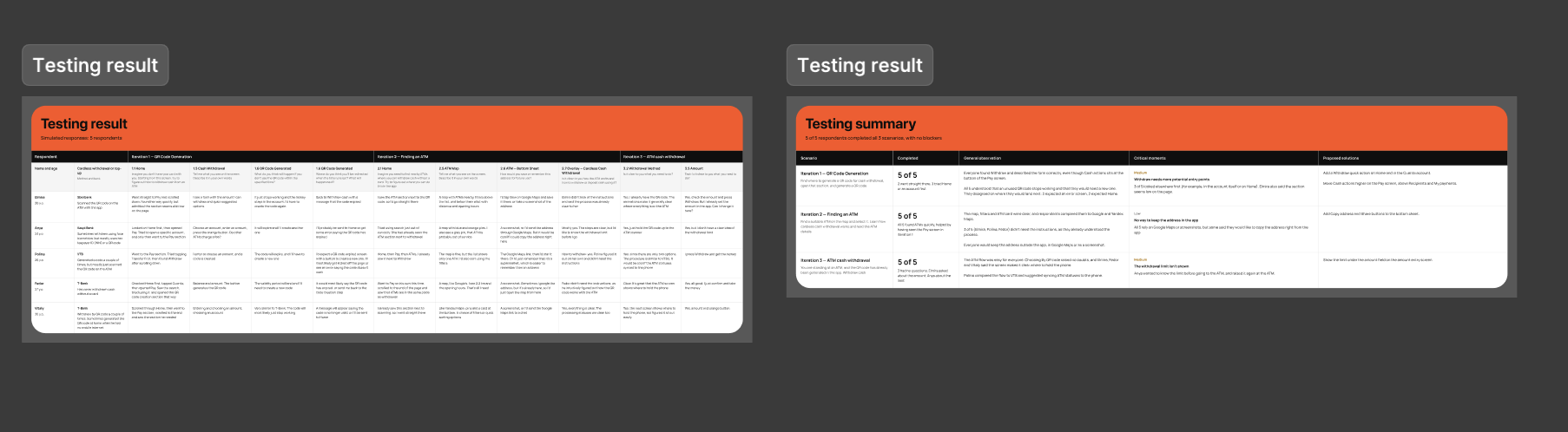
All 5 participants completed all 3 scenarios without blockers. The map, filters, and ATM card were clear; 3 of 5 did not need instructions. Everyone found the ATM flow easy.
Design iterations
Based on testing, I made the following changes:
-
added a Withdraw quick action to the home screen and Cuenta account;
-
moved Cash actions higher on the Pay screen, above Recipients and My payments;
-
added Share address buttons to the ATM card;
-
displayed the withdrawal limit below the amount field on the ATM.